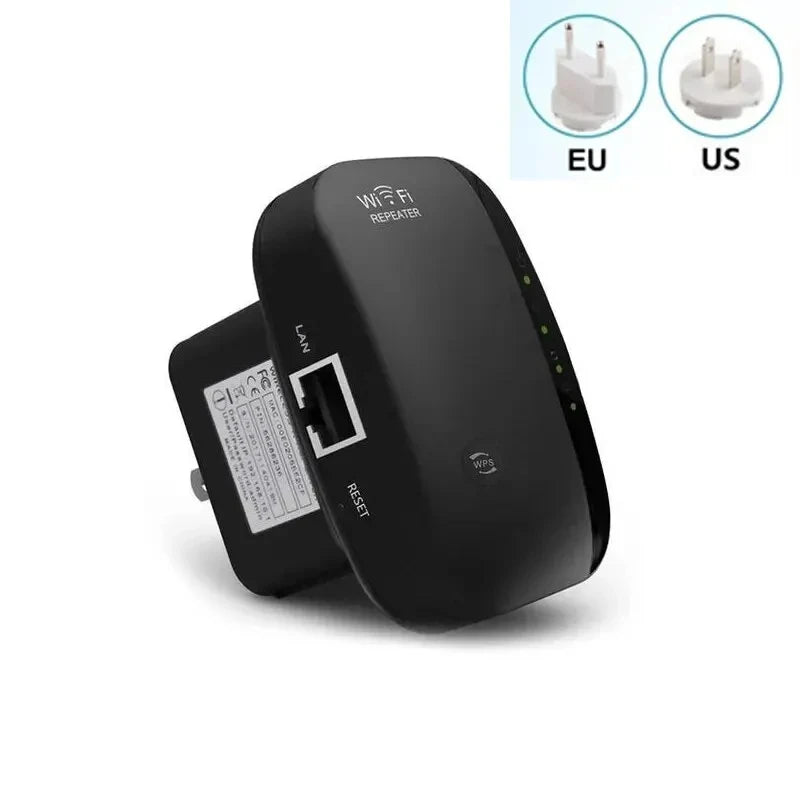


Wireless Wi-Fi Signal Booster & Extender – Mini Network Repeater
Wireless Wi-Fi Signal Booster & Extender – Mini Network Repeater
Couldn't load pickup availability
Secure checkout
🚚 Shipping Policy
🚚 Shipping Policy
We offer quick and dependable shipping. Orders arrive within 7–12 business days, complete with tracking updates.
↩️ Money back Guarantee
↩️ Money back Guarantee
Shop with confidence — enjoy easy, hassle-free returns within 12 days. Your satisfaction is our priority.
Enhance your home network with this compact wireless Wi-Fi signal booster and extender. Designed to improve coverage, it eliminates dead zones and strengthens your existing Wi-Fi signal. Supporting 2.4G networks with a transmission rate up to 300 Mbps, it works as a range extender or access point for flexible setup. Easy to install via PC or smartphone, this mini device is backward compatible with 802.11b/g/n standards and includes WPS one-click encryption for secure connections. Its small, sleek design fits discreetly in any home environment while delivering reliable network performance.
Key Features
• Boosts and extends Wi-Fi coverage
• Supports 2.4G wireless network, up to 300 Mbps
• Works as range extender or access point
• Backward compatible with 802.11b/g/n
• WPS one-click secure connection
• Supports WPA, WPA2, and WEP encryption
• Compact and portable design
• Easy setup via PC, smartphone, or laptop
Specifications
• Brand: Other
• Wi-Fi Frequency: 2.4 GHz
• Wi-Fi Transmission Rate: 300 Mbps
• Antenna Type: Internal
• LAN Ports: 1
• WAN Ports: 1
• USB Interfaces: None
• Supported Protocols: 802.11b/g/n
• Function: Firewall, VPN
• Mesh Support: Yes
• Certification: CE, FCC, RoHS
• High-Concerned Chemicals: None
• Application: Home Wi-Fi extender
• Package: Host + Manual
• Size: 8.0 x 5.3 x 5.1 cm (without plug)
How to Use
-
Plug the Wi-Fi extender into a wall socket within your network range.
-
Connect via PC, smartphone, or laptop to configure the device.
-
Choose setup mode: Range Extender (wireless) or Access Point (via Ethernet).
-
Follow the setup wizard to connect to your existing Wi-Fi network.
-
Test coverage and relocate if necessary for optimal performance.
Care Instructions
Keep the device in a dry, ventilated area.
Avoid direct sunlight or exposure to liquids.
Clean with a dry cloth when needed.
Ensure firmware updates are applied for optimal performance.